

If you're pricing an AI cluster in March 2026, the names can feel like a trap. H100 SXM5, H100 PCIe, and H100 NVL all say "H100", so they must behave the same, right? In practice, the module, power limit, memory bandwidth, and GPU-to-GPU links change what you can build, how fast it trains, and how much the rack costs to run.
This guide keeps it practical for DevOps, CTOs, CFOs, cloud users, AI analytics teams, and researchers. You'll see what stays the same (Hopper features), what changes (packaging and interconnect), and which jobs each variant fits best. The goal is simple: pick hardware that matches your workload and constraints, whether you run on-prem, hybrid, or across multiple clouds (the sort of "move it where it fits" strategy platforms like Stack8s are built around).
What actually changes between SXM5, PCIe, and NVL (and what stays the same)
All three variants share the Hopper H100 core capabilities: 4th-gen Tensor Cores, FP8 support via Transformer Engine, and features like MIG for partitioning one GPU into smaller slices. So if you're asking, "Will my model run?", the answer often depends more on memory, bandwidth, and how many GPUs need to talk to each other quickly than on basic compatibility.
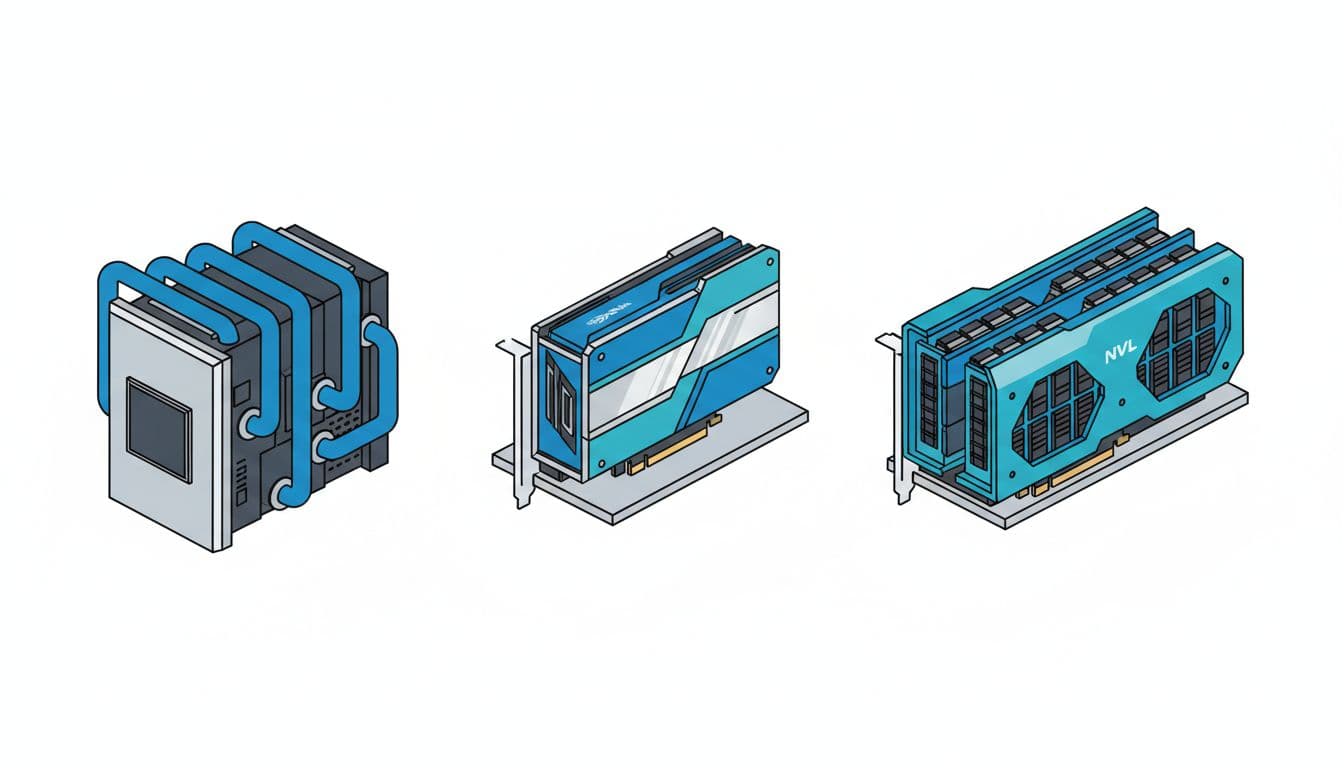
What changes is the wrapper around the GPU. SXM5 is a high-power module designed for purpose-built servers. PCIe is the standard add-in card form factor. NVL is also a PCIe card, but tuned for bigger model fit per GPU, plus NVLink for strong GPU pairing.
Here's the quick comparison using commonly referenced figures:
| Feature | H100 SXM5 | H100 PCIe | H100 NVL |
|---|---|---|---|
| Form factor | SXM module | PCIe add-in card | PCIe add-in card |
| Memory | 80GB HBM3 | 80GB HBM3 | 94GB HBM3 |
| Memory bandwidth | 3.35 TB/s | 2.0 TB/s | 3.9 TB/s |
| Power (TDP) | 700W | 350W | 350 to 400W |
| GPU-to-GPU connectivity | NVLink 900GB/s | PCIe Gen5 128GB/s | NVLink 600GB/s (plus PCIe Gen5) |
The takeaway: SXM5 usually leads on raw throughput and multi-GPU scaling, NVL often shines when memory and bandwidth bottleneck you, and PCIe wins on deployability and power planning. For NVIDIA's own positioning and baseline capabilities, start with the official NVIDIA H100 product page, then come back to map variants to real deployments.
Form factor and cooling: why SXM5 usually means purpose-built servers
SXM5 isn't a "card you slot in". It's a module that lives inside systems designed around it, typically with serious airflow engineering, or liquid-cooling in dense builds. That design choice is why SXM5 can run at 700W and keep boosting under sustained load. It's also why SXM5 systems tend to arrive as complete platforms rather than DIY parts.
That affects procurement in boring, expensive ways:
A standard PCIe H100 can drop into many existing server lines. That makes pilots easier, and it simplifies spares. In contrast, SXM5 pushes you towards a narrower set of chassis options, vendor support contracts, and rack designs. Serviceability changes too. PCIe cards can be swapped like familiar components. SXM5 modules live deeper in the system, which can mean longer maintenance windows.
If you're comparing form factors across H100 and newer accelerators, this explanation of PCIe vs SXM5 form factors is a helpful sanity check. The short version is that SXM5 is a platform decision, not just a GPU decision.
Interconnects in plain English: PCIe is a lane, NVLink is a GPU highway
PCIe Gen5 is the shared road between the CPU and devices in a server. It's fast, it's standard, and it's great for "one GPU does the job" workloads. With 128GB/s of PCIe Gen5 bandwidth quoted for these cards, you can move a lot of data, but that link also serves other I/O needs and doesn't behave like a purpose-built GPU mesh.
NVLink is different. Think of PCIe as a well-run city street, and NVLink as a dedicated motorway between GPUs. When training, GPUs constantly exchange information, for example sharding model weights, synchronising gradients, and keeping activations flowing. If those transfers lag, GPUs wait, and your expensive cluster sits idle.

This is where SXM5 earns its keep. With NVLink at 900GB/s, it supports tight multi-GPU scaling inside a node. NVL brings NVLink at 600GB/s, often aimed at strong two-GPU pairing. PCIe-only multi-GPU setups can still work, yet they usually hit a wall sooner on large, chatty training runs.
For a plain-English comparison focused on NVL vs SXM5 positioning, see H100 NVL vs SXM5. Use it as context, then validate with your own model and framework.
Use cases that fit each model best, from LLM training to everyday inference
Most teams don't buy "a GPU". They buy time. Time to train a model, time to serve responses, time to run nightly analytics, time to get results back to researchers. So it helps to map H100 variants to workload shapes:
Some jobs stay inside one GPU and care most about memory and bandwidth. Others spread across many GPUs and live or die by GPU-to-GPU links. Meanwhile, production inference often cares about predictable cost per token, power limits, and how easily you can add capacity.
Also, don't judge these GPUs in isolation. CPUs, RAM, storage, and your network fabric matter. A slow data pipeline can make a top-tier GPU look average. Still, the H100 variants push you in clear directions.
If you want a broader "H100 in the real world" view across AI and HPC tasks, this breakdown of H100 specs and use cases provides useful examples you can translate into your own stack.
H100 SXM5: when you need the fastest training runs and tight multi-GPU scaling
Choose SXM5 when training speed drives your business. That might mean pre-training, large fine-tunes with many parallel GPUs, or research where iteration speed matters more than anything. The combination of 700W power headroom, 3.35 TB/s HBM bandwidth, and 900GB/s NVLink tends to keep utilisation high on heavy training loops.
SXM5 also fits HPC plus AI mixes, where bandwidth and sustained performance matter. If you run simulation workloads alongside model training, the "always hot" nature of these systems can pay off because they're built to hold boost clocks and handle dense thermals.
The trade-offs are hard to ignore. Power delivery becomes a design constraint, not an afterthought. Cooling becomes part of the purchase order. On top of that, SXM5 usually ties you to a narrower menu of server platforms and lead times.
If your model needs many GPUs to behave like one big GPU, SXM5 is often the most straightforward route, provided you can support the power and cooling.
H100 PCIe: the flexible choice for standard servers, pilots, and mixed workloads
H100 PCIe is the "fits where you already are" option. At 350W, it's easier to plan into existing racks, and it drops into common PCIe server designs. That makes it attractive for teams that want to scale gradually, or that need to mix AI work with other compute in the same fleet.
PCIe H100 fits well for:
Fine-tuning and smaller training jobs that don't demand extreme GPU-to-GPU bandwidth. Batch inference where throughput matters, but you can scale out by adding more nodes. CI-style testing, evaluation runs, and model regression checks. Analytics pipelines that alternate between GPU steps and CPU-heavy transforms.
The limits show up when training becomes a team sport across many GPUs. With 2.0 TB/s memory bandwidth and no NVLink mesh, some multi-GPU training patterns spend more time waiting than computing. You can still scale, but you'll feel it sooner, and you may need more nodes to reach the same wall-clock time.
H100 NVL: built for bigger models per GPU, without going full SXM5
NVL exists for a very practical reason: 80GB is sometimes not enough. Long-context inference, big embedding tables, retrieval-augmented generation with heavy caches, and larger fine-tunes can run out of room even when compute is available.
With 94GB HBM3 and 3.9 TB/s bandwidth, NVL can reduce memory pressure and keep kernels fed. In other words, it often helps when you're memory-bound rather than compute-bound. It also includes 600GB/s NVLink, which suits strong two-GPU pairing. That's useful for single-node setups where you want to split a model across two GPUs without paying the SXM5 platform tax.
NVL is a sweet spot when you want air-cooled PCIe deployment, but your workload behaves like it wants a bigger GPU. For a quick summary of NVL vs SXM-style differences, this short FAQ on H100 NVL vs SXM differences is a handy cross-check.
How to choose the right H100 for your budget, power limits, and platform strategy
A good choice starts with the workload, then works backwards to infrastructure. That sounds obvious, yet teams still buy "fast GPUs" and later discover they can't power them, cool them, or keep them busy.
A simple decision flow works well in meetings with both finance and engineering in the room:
First, decide whether you're optimising for training time or inference cost. Training clusters reward NVLink and memory bandwidth. Inference fleets reward deployability, predictable power draw, and easy scaling. Next, check memory headroom. If you regularly hit OOM at 80GB, NVL should be on the table before you redesign your whole stack. Then look at scaling method. If you expect tight multi-GPU training inside nodes, SXM5 is often the cleanest path. If you'll scale out with more nodes and can tolerate looser coupling, PCIe can be more cost-stable.
Finally, match this to where you run. With a Stack8s-style platform, you can place training on the best-suited hardware pool and keep inference elsewhere, then move workloads if requirements change. That flexibility matters because demand curves for AI workloads rarely stay flat.
A quick decision checklist you can use in a procurement meeting
Use these prompts to keep the discussion grounded:
- Do we need fast GPU-to-GPU traffic? If yes, favour SXM5, or NVL pairs for two-GPU splits.
- Do we need more than 80GB per GPU? If yes, NVL is the obvious candidate.
- Can our racks support 700W per GPU and the right cooling? If no, SXM5 may be off the table.
- Are we standardising on PCIe servers for ops simplicity? If yes, PCIe H100 or NVL will fit better.
- Is this about peak training speed or predictable inference cost? Training speed points to SXM5, inference cost often points to PCIe.
Rule of thumb: SXM5 for maximum training scale, NVL for memory-heavy jobs in PCIe form, PCIe for broad deployment with steady power planning.
Common deployment patterns in 2026: what teams actually buy and why
In 2026, a lot of teams land on mixed fleets because one GPU type rarely fits everything.
One common pattern is SXM5 nodes for training, then cheaper or lower-power GPU nodes for inference. That keeps the most expensive infrastructure focused on the jobs that benefit. Another pattern is PCIe-only fleets, especially for enterprises standardising on a server vendor, with workloads ranging from fine-tuning to analytics. NVL pairs show up when model fit is the daily headache, for example large-context serving, big embeddings, or heavier fine-tunes that keep falling over at 80GB.
Hybrid scheduling is also normal now. Teams run training bursts in cloud, keep sensitive data on-prem, then shift inference close to users. Kubernetes-based scheduling makes that less painful, provided your images, drivers, and storage paths are well managed.
If you're weighing whether to stay on H100 or move to newer options, it helps to read a current comparison like H100 vs H200 for AI infrastructure. Even if you don't buy H200, it clarifies when memory and bandwidth are the real constraints.
Conclusion
H100 SXM5, H100 PCIe, and H100 NVL share the Hopper core, but they behave differently once you put them in a rack. SXM5 is the fastest choice for big training and tight scaling, but it demands specialised servers, 700W power planning, and serious cooling. PCIe is the easiest to deploy and scale broadly, yet it hits limits sooner on multi-GPU training. NVL targets bigger model fit per GPU and strong paired performance without committing to SXM5 platforms.
Start with your workload goal, then test your assumptions with a small benchmark and real data paths. Above all, treat the GPU as part of a system, and keep your options open so you can run workloads where they're cheapest and fastest, then move as needs change.