


Picking a GPU for an LLM sounds simple until you hit the real variables. Model size, context length, user count, response speed, and budget all pull in different directions.
That's why there isn't one best GPU for every LLM workload. For many teams, VRAM matters more than peak compute, because if the model doesn't fit in memory, nothing else matters.
This guide is for technical and budget owners alike. Start with the job you need to run, then work back to the hardware.
Start with the workload, not the GPU name
Too many buying discussions begin with H100 versus A100 versus L40S versus RTX 4090. That's the wrong starting point. First define the work, because the right GPU for local testing may be a poor fit for production traffic.
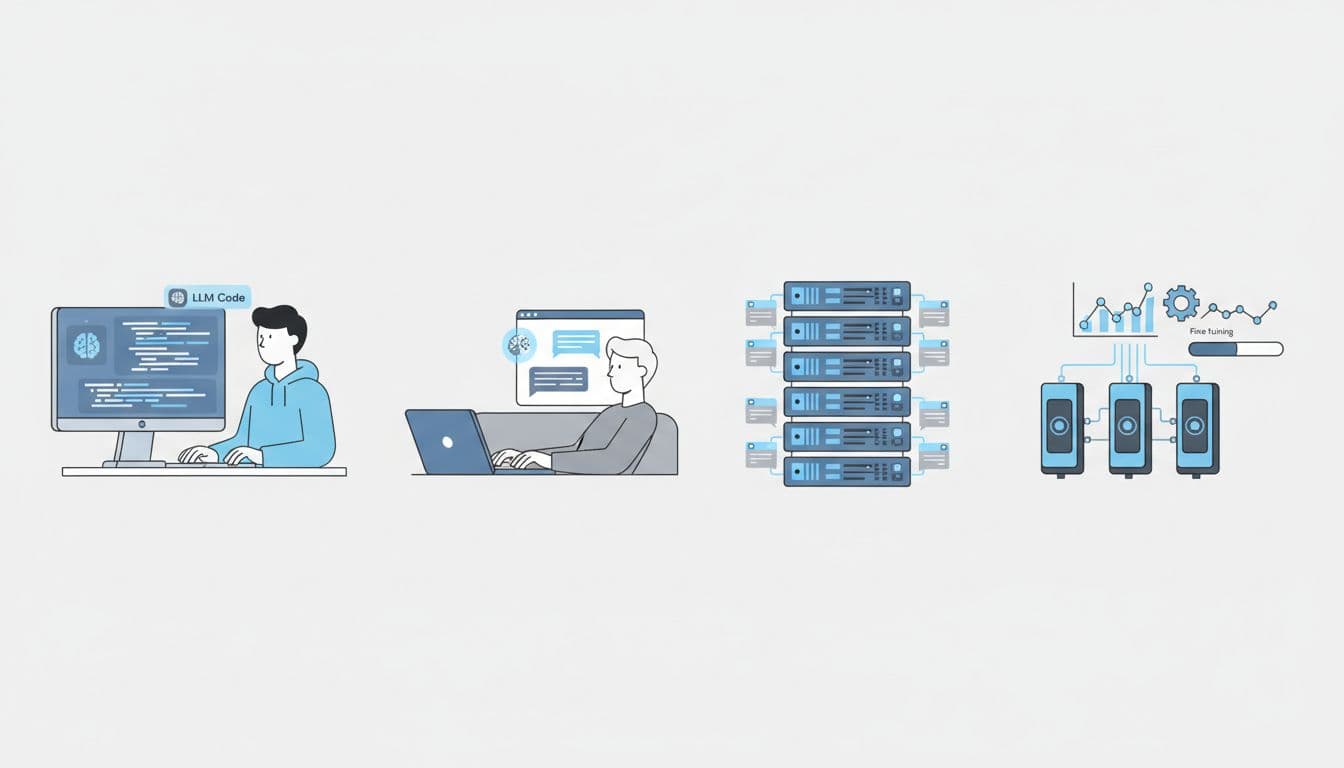
Four common use cases tend to shape the answer. Local development often values low cost and decent VRAM. Single-user inference cares about smooth interaction and acceptable token speed. Multi-user serving shifts the focus to total throughput, queueing, and uptime. Fine-tuning raises memory demand fast, even before you think about scale.
That difference matters because each job stresses the GPU in a different way. A developer testing prompts on a 7B model can get strong value from a consumer card. A shared chatbot for hundreds of staff users needs more memory, better scheduling, and stronger support around the hardware.
Model size, quantisation, and context length change the answer
The first filter is model size. A 7B model is a small van. A 70B model is an articulated lorry. Both move cargo, but they need very different roads.
In plain terms, bigger models need more VRAM to store their weights. Quantisation helps by shrinking those weights. Running a model in 4-bit or 8-bit form can cut memory use a lot, although the trade-off can be some loss in quality or flexibility, depending on the model and stack.
Context length also changes the maths. Long prompts and long replies create more memory pressure because the model keeps extra working data while it generates. That working data is often called the KV cache. Think of it as the model's short-term notebook. A short chat uses a small notebook. A long document session with many users fills shelves.
If you expect long prompts or many concurrent sessions, KV cache can become the hidden memory cost.
Throughput and latency matter as much as fit
Fitting the model into memory is only the first gate. After that, you need to ask how fast it should respond.
Single-user testing often focuses on tokens per second for one chat. Production systems care about total tokens per second across many users. Those are not the same thing. A setup that feels snappy for one engineer can slow to a crawl once ten users arrive at once.
Latency targets also matter. Some teams care most about first-token speed, because users hate waiting for the answer to start. Others care about full response time, because they batch longer jobs. In both cases, define the service goal before you buy the card.
That shift from fit to service level is where many plans break. A GPU that looks cheap on paper may cost more later if you need three times as many servers to hit the response target.
Use VRAM first to narrow down your GPU options
If you want a practical starting point, begin with memory. Once you know the rough VRAM band, your options become much easier to compare.
Exact numbers vary by model architecture, quantisation level, context size, and framework overhead. Still, broad bands are useful because they stop you wasting time on cards that are clearly too small.
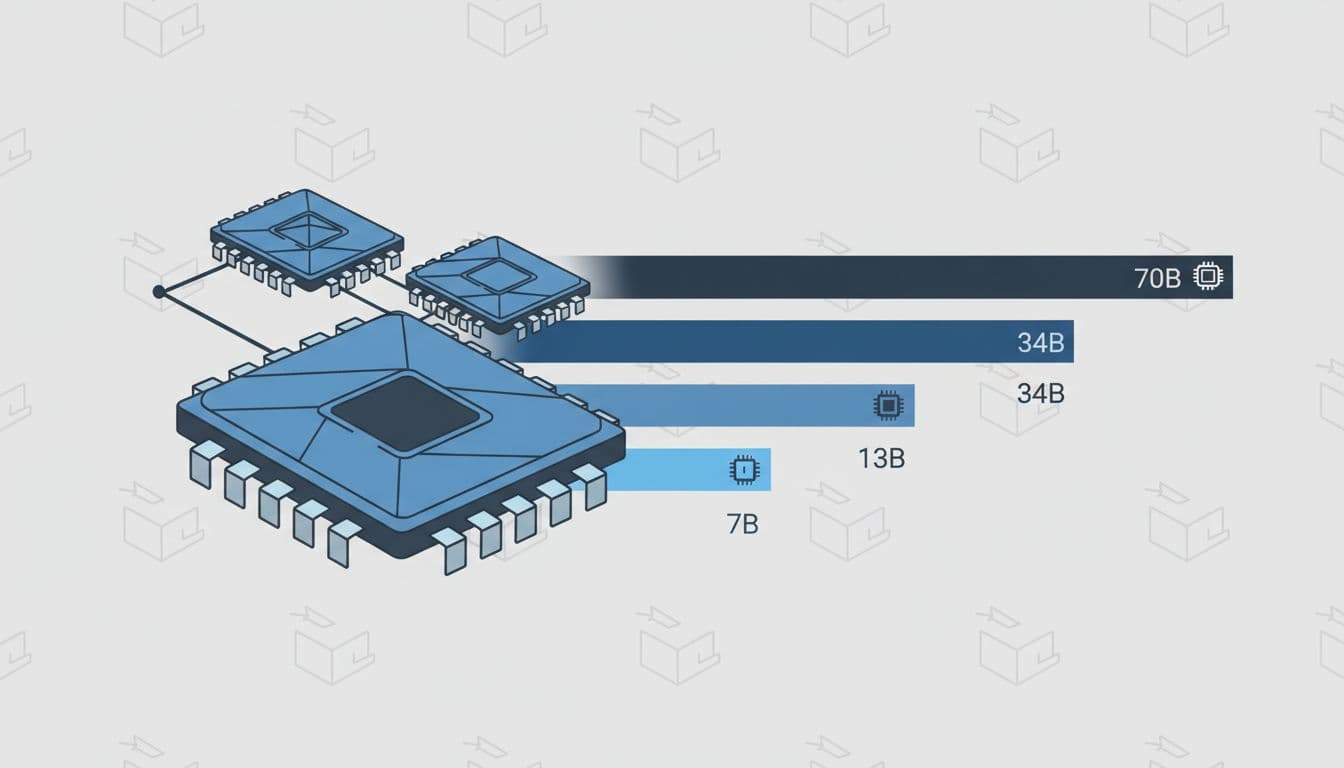
A simple VRAM guide for common LLM sizes
This table gives rough guidance for inference. Fine-tuning usually needs far more headroom.
| Model class | Rough inference VRAM band | Typical fit |
|---|---|---|
| 7B | 16 GB to 24 GB | Often fits well with 4-bit or 8-bit quantisation |
| 13B | 24 GB to 48 GB | Usually needs more headroom, especially with longer context |
| 34B | 48 GB to 80 GB | Often pushes into heavy quantisation or multi-GPU setups |
| 70B | 2 high-memory GPUs and up | Commonly needs 2 or more large-memory cards unless compressed hard |
The main takeaway is simple. Small and mid-size models are far easier to place. Once you move into 34B and 70B territory, GPU memory becomes the whole conversation.
Fine-tuning changes the picture again. Even parameter-efficient methods can need far more VRAM than plain inference, because you store extra model state during training. Full fine-tuning raises that requirement even more. So if you plan to tune, do not size the box only for inference.
Why memory bandwidth and interconnect also matter
A model that fits is not always a model that runs well. Memory bandwidth affects how quickly the GPU can move model data during generation. Higher bandwidth often means better token speed, especially for large models.
Interconnect matters once the model spans more than one GPU. Standard PCIe links work, but they can become a bottleneck when GPUs must exchange data often. Faster direct GPU links, such as NVLink-class interconnects, reduce that overhead.
In simple terms, two GPUs with enough combined VRAM may still underperform if the link between them is slow. That's why large models can feel uneven on loosely connected systems. You have the space, but not the road capacity.
For shared inference, this shows up as lower throughput. For fine-tuning, it can mean poor scaling from one GPU to two or four. Therefore, always check both memory size and how the GPUs talk to each other.
Match today's popular GPUs to real LLM use cases
Once you know your memory band and speed target, you can look at actual GPU classes. The goal is not to chase the most famous card. It is to match the hardware to the job, the team, and the budget.
Consumer GPUs can be great for testing and small models
Consumer cards, including RTX 4090-class options and some workstation-style GPUs, can offer strong value. They are often a smart fit for local development, prompt testing, small-model inference, and some light fine-tuning work.

That makes them attractive for research teams and early product work. You can move fast, keep spend lower, and avoid paying data-centre prices before you know what the workload needs.
Still, the limits show up quickly. VRAM tops out far below large data-centre parts. Enterprise support may be weaker. Multi-GPU scaling can be awkward. In addition, supply and pricing can swing hard in busy periods.
For many teams, a consumer GPU is the right first lab, not the final production home.
Data-centre GPUs suit production, shared workloads, and larger models
Data-centre parts like A100, H100, H200, L40S, and MI300-class GPUs exist for a reason. They bring more memory, stronger sustained throughput, better cooling in rack environments, and better options for multi-GPU work.
That matters when you serve many users, run bigger models, or need high uptime. These cards also fit better into managed clusters, pooled scheduling, and fleet operations. If your platform team needs predictable behaviour, they usually start looking here.
The trade-off is price, and not only purchase price. Cloud region, provider margin, and supply constraints can move the final cost as much as the model name on the spec sheet. In one region, an H100 may be available at a fair rate. In another, an older GPU could offer better value per useful token.
So treat the GPU class as one part of the stack. Capacity access, support, and placement often matter just as much.
Balance performance, cost, and deployment risk before you buy
Hardware choice is not only a technical problem. It is also a delivery and finance problem. A great benchmark number means little if the fleet sits idle, the region is sold out, or the data can't leave its current home.
When cloud GPUs make more sense than owning hardware
Cloud is often the right answer for bursty demand, proof-of-concept work, and teams still testing models. It lets you try different memory bands before you commit to capital spend.
That flexibility matters when demand is unknown. You can test a 13B model this month, then move to a 34B model next month without being stuck with the wrong server. You also avoid paying for idle on-prem kit while usage is still low or uneven.
But compare the full cost, not the hourly line item. Include storage, egress, idle time, managed service fees, and regional limits. If you need help mapping model size, usage profile, and placement strategy, Book a Meeting with our Infra Experts. That can help you choose the right mix of hyperscalers, niche GPU providers, and private capacity.
When on-prem or hybrid capacity is the better fit
On-prem or hybrid setups make more sense when usage is steady, data is sensitive, or low-latency access matters. If your model sits near regulated data, moving compute is often easier than moving the data.
This is where portability helps. A hybrid design can keep some inference close to data, while overflow traffic lands in cloud capacity. That lowers lock-in and gives you another path when a provider runs short on GPUs.
For research, health, finance, and public sector teams, that placement choice can shape the whole programme. The best setup is often the one that keeps workloads portable and places compute where policy, cost, and response time all line up.
The best GPU is rarely the flashiest one. It's the one that fits the model, meets your speed target, and keeps total cost under control.
Why self-hosting on your own GPU can be better
| Limitation | Cloud API impact | Own GPU advantage |
|---|---|---|
| Context length | Long prompts increase latency and can hit provider-specific limits. | You control the max context and can tune memory use for your workload. |
| Rate limits | Requests per minute, daily quotas, or throttling can block scaling. | No external rate limits; throughput depends on your hardware. |
| Latency | Network hops and shared queues add delay and jitter. | Lower and more predictable latency, especially for local inference. |
| Concurrency | Providers may cap simultaneous requests or charge more at higher volumes. | You can optimize batching and concurrency for your exact use case. |
| Customization | Limited control over model runtime, quantization, and scheduling. | Full control over serving stack, optimization, and deployment. |
| Data control | Prompts and outputs pass through a third-party service. | Better fit for sensitive, regulated, or sovereign workloads. |
Cloud APIs are convenient, but they come with practical constraints: context length pressure, rate limits, queueing, and variable latency. Running Llama 3.1 on your own GPU removes those external bottlenecks and gives you direct control over throughput, concurrency, and memory use.
Start with the workload. Then estimate VRAM, check latency and throughput, and only then compare GPU classes and deployment options.
If you're about to spend big, begin with a small proof of concept first. Measure real token speed with real prompts and real users before you commit to a full fleet.